


Digital Wedding Invitations with RSVP

Make your e-invite on your phone in minutes. No tutorial needed. Guests get one link with every detail and online RSVP, and you see it finished before you pay.

★★★★★ Rated by real couples on Trustpilot
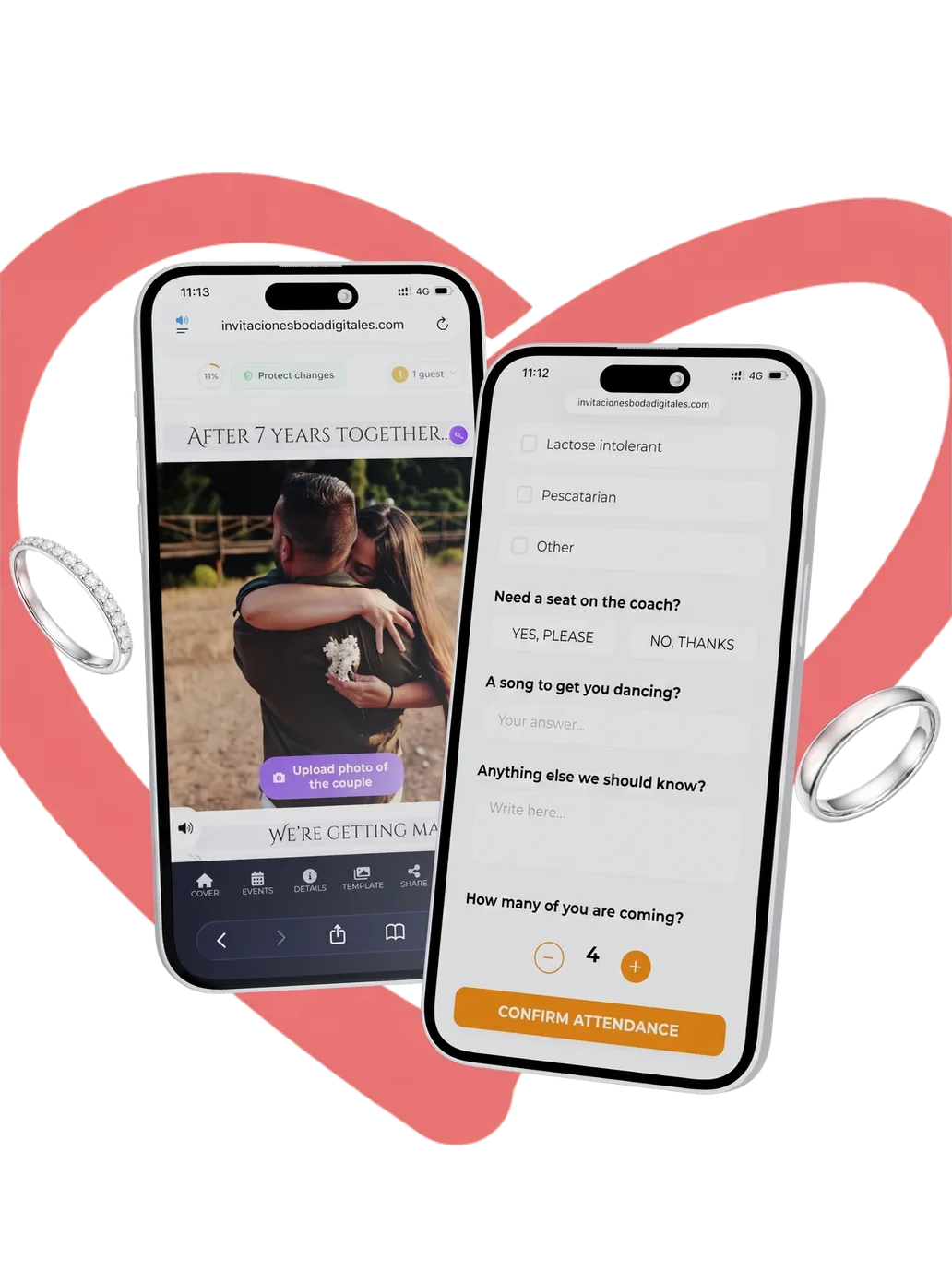
Digital wedding invitation and online RSVP form on two phones

Digital wedding invitation designs to personalise

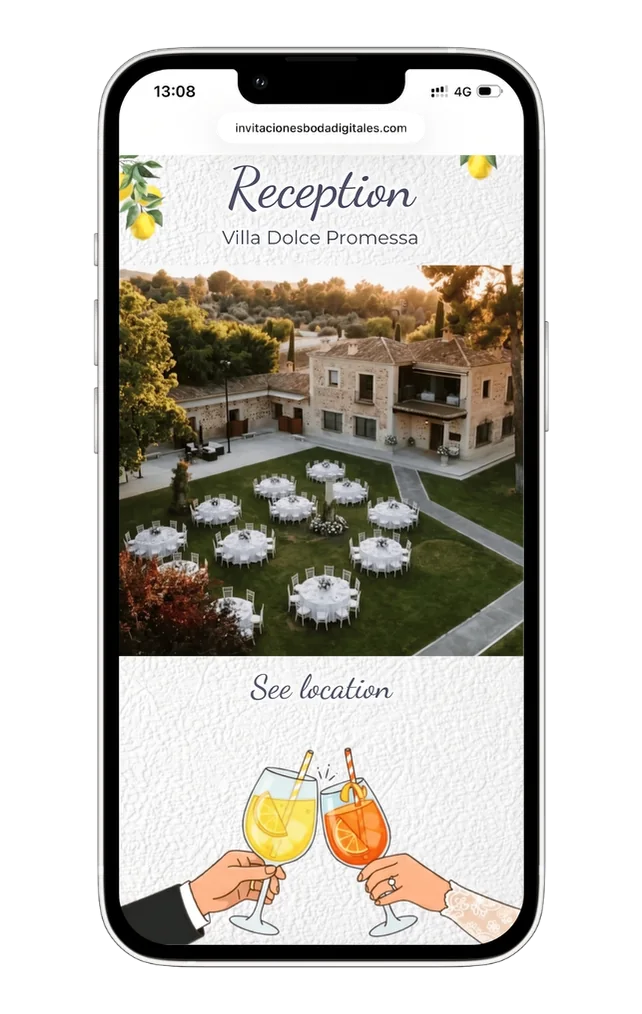
Every design is ready to use. Change the names, date, colours and fonts, and see it exactly as your guests will. Not sure what to write? Borrow a line from our wedding invitation wording examples.

Make it in minutes, right on your phone

1,918 couples signed up
Custom wedding invitations without the fuss. You start from a finished design, not a blank page.

What’s included in your e-invite?

Your e-invite works like a mini wedding website, with everything guests need in one place, from the RSVP to the dress code.

Pricing: try it free, pay once

Make it and see it finished for free. When you’re ready to send it to everyone, you pay once. There’s no subscription.

Free trial

14 days
Free

Start without an account and watch your invitation take shape in minutes, with every feature switched on. Add your email to keep it.

  • See every change live
  • Your own music
  • RSVP with your own questions
  • Directions in Google Maps or Waze
  • Countdown and photo gallery
  • Up to 15 guests
Try it free
No sign-up to start

See your invitation finished before you pay

Pick a design, add your names, date and venue, and watch your digital wedding invite appear as you type. You can start without an account. There’s nothing to install.
Personalising a digital wedding invitation on a phone

How do online wedding invitations work?

You send one link, your guests open it on their phone and reply, and every answer lands in your guest list.
  • 1

    Send one link by WhatsApp or email

    Send it guest by guest or one per household. A single link where people add their own names is perfect for a big group.
  • 2

    Guests reply in a few taps

    They open your digital invite in their phone’s browser, see every detail and respond right there.
  • 3

    Every reply lands in your guest list

    The replies end up in one place, with who’s coming and everything they’ve told you. You get an email for each one and can download the lot.
Not feeling techy? You don’t need to be. If you can send a WhatsApp, you can make your invitation.
Make yours now
Real people, not bots

Your own digital invitation expert

You make it yourself, in minutes. Can’t find something or not sure which option to pick? Message your assigned expert on WhatsApp.
1

Start it yourself

Pick a design and start typing. There’s nothing to book and no one to wait for, so the invitation is yours from the first minute.
2

Ask whenever you like

Tap WhatsApp in the editor and ask about anything, from where a setting is to how a feature works.
3

A real person replies

Your expert knows the editor inside out and replies in English. No bots, and every decision stays yours.
Start your invitation
Included with every invitation, at no extra cost

No add-ons: it’s all included

Things other services sell as add-ons, like a save the date or extra languages, come with every invitation.

A digital save the date from your design

Pare your design back to the essentials and send it months ahead as a simple digital save the date. Ideas and wording in our save the date guide.
Included

Nine languages for guests from abroad

English, Spanish, French, Italian, German, Portuguese, Polish, Catalan and Basque. Send each guest the link in their language.
Included

Download replies as PDF, CSV or Excel

Hand the numbers to your caterer, venue or wedding planner without copying out a single name.
Included

A mini wedding website, built in

Your invitation is the website. One link holds every detail, directions and the RSVP, so there’s no separate wedding website to build or pay for.
Included

See every change as you make it

Change the fonts, move sections around, and enhance your photo with AI or give it a film, watercolour or illustration look.
Included

Every guest greeted by name

Send personal links and each guest sees their own name the moment the invitation opens.
Included
About us

Why choose My Wedding Board?

My Wedding Board only makes digital wedding invitations. You pick a design, make it yours on your phone or computer, and see it finished before you pay a penny. The RSVP is part of the invitation and the answers come straight to you, so there are no forms or spreadsheets to set up. If you need a hand while you’re making it, a real person answers on WhatsApp.

My Wedding Board started with our founder’s own wedding. While he and his partner were planning it, every decision meant another discussion about what to add and what to leave out. He couldn’t find an invitation that was easy to make on a phone and still looked beautiful, so he designed one himself, with several languages built in. When he sent it, his guests were impressed. That invitation became My Wedding Board.

Since then, couples in several countries have made their invitation with us, for weddings from a handful of guests to 300, and for vow renewals too. They all wanted an invitation that was easy to make and easy to send. We look after each one as if it were our own.

  • With the live editor you change anything and see it straight away, on your phone or computer.
  • Your invitation comes in 9 languages, so guests from abroad can read it in their own.
  • The RSVP keeps every answer, emails you when someone replies and shows who hasn’t opened it yet, so you know who to nudge.
  • Your own music, a gift list and a real person on WhatsApp if you get stuck.
  • Start without signing up, see it finished, and only pay when you’re ready to send it.
9 Languages
1,918 Couples signed up

Two lifelong friends run My Wedding Board. One looks after the product, using what he learnt as a groom, and the other looks after the designs and the community. Your digital wedding invitation is the first thing guests see of your wedding, so we treat it the way we’d want ours treated.

Reviews from real couples

Couples who’ve made their invitation with us leave their reviews on Trustpilot, Bodas.net and Google. Read what they say, in their own words.
Read our reviews on:
Help and support

Questions? Get in touch

Questions before you start, or about your invitation? Write to us and we’ll reply within 24 hours. A real person reads every message.
By sending, you accept our privacy policy. We reply within 24 hours.
Or contact us directly
Quick help
On WhatsApp, from inside the editor
FAQs

Frequently asked questions

The questions couples ask us most, about creating, sending and paying for your invitation. If yours isn’t here, ask us below.

It’s your wedding invitation as a mini website with its own link. Guests open it on their phone with nothing to install, and inside they find the date, directions, the order of the day and the RSVP. Unlike a PDF or a JPG, it stays up to date. It doubles as your wedding website, too.

Making it and seeing it finished costs nothing. To send your digital wedding invitation to all your guests, you pay once, and there’s no subscription. You’ll find the current price in pounds in our pricing section. If there’s an offer on, the payment screen shows how long you have left to get it.

Yes, to make one and try it. You can start without an account, and we keep your draft for 3 hours. Add your email to keep it, and you have a 14-day free trial from the day you start, with up to 15 guests. After that, or to invite more guests, there’s a one-off payment.

Guests open their link, tap to reply and answer the questions you’ve set, such as menu choices, dietary requirements, plus-ones or a song for the party. They don’t need an account. You get an email for every reply, and everything goes into your guest list, ready to download as PDF, CSV or Excel.

Yes. Sending digital invites is now a common choice for weddings. Guests have every detail on their phone and can reply straight away, and you still decide how each person gets theirs. If an older relative doesn’t use WhatsApp, send it by email instead.

No. It opens in the phone’s browser, like any web page, so guests don’t need an app or an account. It works just as well on a tablet or computer, and it fits any screen, big or small.

Share your invitation’s link by WhatsApp or email. Send personal links guest by guest or one per household, or share a single group link where people add their own names. It’s handy for a big group of friends.

Yes. Create a separate invitation for your evening guests, with the evening details and their own RSVP, and send it only to them. Day guests get the full invitation, and evening guests get the one that’s right for them.

Yes. It’s so easy you can do it on your phone with one hand. You see every change as you make it, everything saves as you go, and the editor works just as well on a tablet or computer.

Yes, as often as you like. That’s the point of a digital invitation. Change the time, the venue or a photo, and everyone with the link sees the new version straight away. There’s nothing to resend and no one is left with an out-of-date copy.

It stays online until three months after your wedding date, so guests can check the details on the day and look back at your photos afterwards. Until then you can keep making changes, and download all your replies whenever you like.

Yes. We only use your guests’ email addresses to send them their invitation and help them back into it. We never use them for marketing, and never sell or share them. Everything travels encrypted, only the two of you see your guest list, and guests can ask us to delete their data at any time.

No. You make it yourself in minutes, without waiting days for someone to send you a proof. Pick a design, add your details and see it finished before you pay. If you get stuck, your assigned expert is on WhatsApp to help, whenever you need.
Can’t find your answer?
Write to us and we’ll reply within 24 hours.
Contact support
Try it free